


Global Times
4.251.00 Reviews
App Specs
- Version
- 2.13.0
- Updated On
- License
- Free
- Downloads
- 5,000,000+
- Developer
- 《环球时报》社有限公司
- Categories
- News & Magazines
- Platform
- Android, iOS
Screenshots
 Analysis by AppCompare
When I need to catch up on international news, I want to get from opening an app to understanding a story without losing time to a crowded feed. Global Times is an English-language news app from 《环球时报》社有限公司, the newspaper publisher associated with the People’s Daily. I see its clearest use as a focused way to follow the publication’s reporting, rather than as a single, neutral window onto every perspective in world news.
Choosing it for the right kind of news habit
This is a free app in the news and magazines category, and its audience reach suggests it is an established option: it has over five million installs, with an average rating of 4.2 from around 4,400 ratings. The content rating is Everyone. Those figures can help set expectations about familiarity and audience, but they cannot tell me whether its editorial approach is the right fit for a particular reader.
I would consider it if I wanted English-language coverage connected to a Chinese newspaper and expected to read about international affairs regularly. That editorial vantage point is a reason to use it, not a guarantee that it will satisfy someone looking for a wide mix of outlets. I would pair it with other publications when a story is consequential, controversial, or likely to look different from another country’s perspective.
From opening the app to finding a story
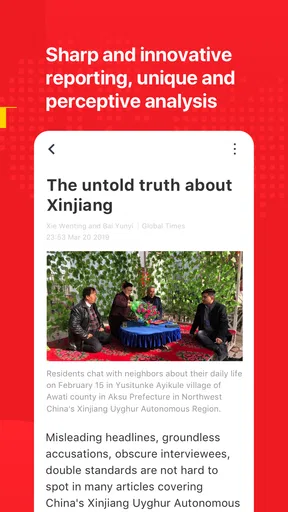
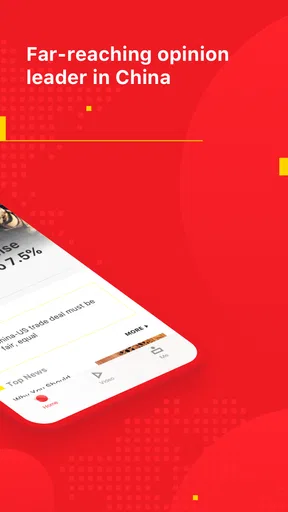
In the published review, I found the interface straightforward to navigate, with clearly labeled categories and a search function that felt efficient for locating a topic. That kind of structure is useful when I have a specific question—say, I have heard a country or issue mentioned in a conversation and want to find related coverage—rather than wanting to browse headlines at random.
A practical routine is to begin with a broad section, then use search to narrow in on a subject and read beyond the headline. I would treat search as a discovery tool, not a substitute for checking context: a matching article may address one part of an issue without covering its history or competing interpretations. Keeping the original question in mind helps me avoid mistaking a relevant result for a complete answer.
The earlier review describes options for personalizing the feed around interests. If I were setting that up, I would choose topics that reflect what I genuinely want to follow, but avoid making the feed so narrow that it hides useful connections. For instance, someone following a business story might also want political or regional coverage that explains why it matters. A tailored feed saves time, while a quick look beyond it can reduce the risk of reading only what already fits my habits.
Making reading fit into an ordinary day
Imagine I have a few minutes before leaving home and want to know what is happening beyond my usual local headlines. I can open the app, scan its sections, and pick one story that seems relevant. If I have more time later, I can use search to look for additional coverage of the same subject. That is a more deliberate workflow than flicking through a stream of alerts, because it gives me a question to carry from one reading session to the next.
Worth Reading Before You Choose

Flipboard Shows What News Apps Must Do Beyond the Feed

Switching to Android Auto Means Rethinking Your Driving Routine

Google Calendar Makes a Crowded Week Easier to Manage

Ludo King Makes the Most of the Minutes Between Plans

Baby Panda World Brings Quick Play to Modern Phones, but Its Game Library Feels Busy

ESPN’s Live Game View Makes Following Close Games Easier
The review also reports an offline reading mode. That can be useful before a train ride or in another place where I expect connectivity to be unreliable: I can prepare reading while online and return to it later. The important trade-off is timing. Saved material is suited to catching up, not to following fast-moving developments in real time, so I would check for fresh coverage once I am connected again.
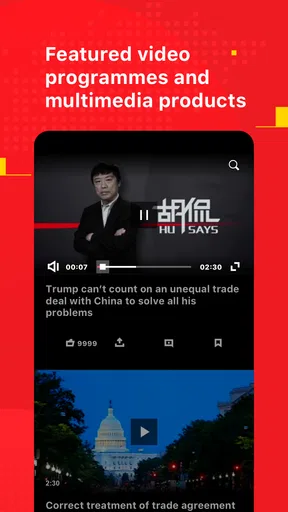
Multimedia stories, including videos and infographics, offer another way to take in a report when a visual explanation is easier to follow than a long block of text. I would use those formats as a complement, especially when a chart or image helps orient me, rather than assume that a visual presentation contains every detail in the written account. Push notifications can help surface breaking news, but I would be selective about relying on alerts: an interruption tells me something has happened, not whether I need to stop what I am doing immediately.
Where it fits among other news options
Compared with a general news aggregator, this app is a more direct route into one publication’s English-language output. An aggregator is often the better choice when I want several publishers in one place or want to compare how different newsrooms frame the same event. A newspaper’s own app can be better when I know I want that outlet’s reporting and prefer not to sort through a large mix of sources first.
That distinction matters most when I am trying to understand a disputed issue. I would read an article here for its reporting and point of view, then look for coverage from outlets with different editorial backgrounds before settling on a conclusion. This is not a flaw unique to this app; it is a sensible way to use any publication-specific news source. The app is most valuable when I know why I am opening it, rather than expecting one publisher to provide every perspective I need.
For readers who mainly want local alerts, sports scores, or a broad collection of independently selected headlines, another news app may better match the job. Likewise, anyone who dislikes notifications can decide whether alerts add enough value to justify the interruptions. I would keep the distinction clear: the publication can be a useful part of a news routine without needing to become the whole routine.
Reading carefully and passing a story along
When I come across an article worth discussing, I would first note what it actually establishes and what remains interpretation. Then I can summarize the point to a friend or colleague without turning a single report into a claim about an entire country or event. This small handoff—from reading to conversation—is where a publication’s perspective becomes especially important. Sharing a story with a short explanation of why I found it useful is more responsible than forwarding a headline on its own.
For a developing story, I would also revisit it rather than assume the first article is the final word. News changes as new statements and details emerge. The app’s alerts may help me notice that something is happening, while a later search or return to the relevant coverage helps me see whether the account has changed. That workflow is more dependable than treating an early notification as a complete briefing.
First Impressions
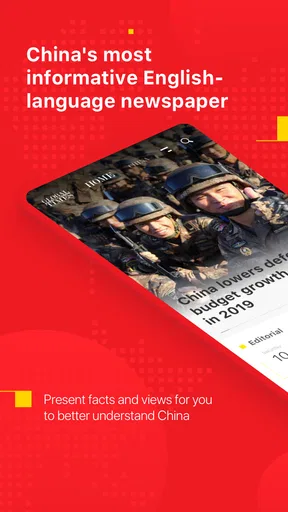
When I first downloaded Global Times, I was immediately struck by its clean and intuitive interface. It’s like the app designers knew exactly what we wanted—simplicity without sacrificing depth. As soon as you open it, you’re greeted with a straightforward layout that’s super easy to navigate. None of that overwhelming clutter that plagues so many other news apps.
The User Experience
One of the things I love most about this app is how user-friendly it is. Everything feels just a tap away, whether you’re diving into the latest political news or exploring lifestyle articles. The categories are clearly labeled, and the search function is surprisingly efficient, pulling up exactly what you’re looking for without a hitch.
And let’s talk about the customization options. The app allows you to personalize your feed, so you only see the topics that matter to you. Whether you’re a sports fanatic or a tech geek, you can tailor your experience to suit your interests. It’s like having your very own personalized newspaper delivered right to your phone.
Content Quality
Now, onto the meat of the app—the content. Let’s face it, a news app is only as good as the information it provides. Thankfully, Global Times does not disappoint. The articles are well-researched and cover a wide range of topics from around the world. The app sources its news from reputable outlets, ensuring you’re getting accurate and up-to-date information.
What really impressed me was the depth of the reporting. The app doesn’t just skim the surface; it dives deep into stories, providing context and background that help you understand the bigger picture. I found myself actually learning something new with each article, which is more than I can say for some other apps out there.
Innovative Features
One of my favorite features has to be the offline reading mode. Let’s be real, we’re not always surrounded by a stable internet connection. So having the ability to download articles and read them later is a game-changer. It’s perfect for those long commutes or when you just want to disconnect for a bit.
The app also includes multimedia content, such as videos and infographics, which provide a richer, more engaging experience. It’s not just about reading; it’s about immersing yourself in the story. Plus, the push notifications ensure you’re always in the loop with breaking news.
Final Thoughts
All in all, Global Times is a solid choice for anyone looking to stay informed about global events. Its user-friendly design, high-quality content, and innovative features make it a standout in a sea of news apps. If you’re tired of the same old news sources, give this app a try. Who knows, it might just become your new go-to for world news.
So, there you have it. My take on Global Times. If you’re curious to check it out for yourself, you can easily find it on your favorite app store. Happy reading!
Practical expectations before installing
The current version is 2.12.0, and it supports devices running Android 6.0 or later. I would check that compatibility before building it into my daily reading routine, particularly if I use an older phone. Since the app is free, trying it does not require a purchase; the more meaningful decision is whether its publication focus and reading workflow suit me.
One question readers often have is whether it can replace their usual news source. My answer is that it can serve as a regular source for this publication’s English-language coverage, but I would not rely on it alone for balanced understanding of every major event. Another is whether it is useful without a constant connection: the described offline reading mode makes planned catch-up possible, while breaking updates still depend on returning online.
I would also think about how much customization and notification activity I actually want. A personalized feed is handy when it reflects genuine interests, but a feed that is too restricted can leave out context. Alerts are convenient if I want to notice major developments; if I prefer uninterrupted reading, I can make the app a destination I open intentionally instead of letting news dictate the rhythm of my day.
My recommendation is specific: try it if you want a direct, English-language route to Global Times coverage and are comfortable treating it as one voice within a broader reading mix. Skip it as your primary choice if you need a multi-publisher comparison in one place or mainly want local, narrowly specialized updates. Used with that distinction in mind, its combination of searchable sections, tailored reading, multimedia, and offline access can make following international stories feel manageable without pretending that one app can settle every question.
Pros
- Comprehensive news coverage worldwide.
- User-friendly interface and navigation.
- Real-time news updates and alerts.
- Multimedia content including videos and images.
- Customizable notification settings.
Cons
- Occasional ads disrupt reading experience.
- Some articles require a subscription.
- Limited offline reading options.
- Heavy data usage with multimedia content.
- Regional content might be limited.
FAQs for Global Times
What is Global Times and what features does it offer?
Global Times is a comprehensive news application that provides users with the latest global news, in-depth analyses, and insightful editorials. It offers features such as customizable news feeds, real-time notifications, offline reading, and multimedia content like videos and podcasts. The app aims to keep users informed with a wide range of topics including politics, technology, culture, and more.
Is Global Times free to use, or are there any subscription fees?
Global Times offers a free version that provides access to a wide array of news articles and basic features. However, to access premium content such as exclusive analyses and ad-free browsing, users can opt for a subscription model. Subscription details and pricing can be found within the app under the 'Subscription' section.
How user-friendly is the Global Times application interface?
The Global Times app is designed with user-friendliness in mind, featuring an intuitive interface that is easy to navigate. Users can quickly access the latest news, bookmark articles, and customize their reading preferences. The clean layout ensures that even new users can find their way around without any hassle.
Can I customize the news feed in Global Times to suit my interests?
Yes, Global Times allows users to tailor their news feed according to personal interests. By selecting preferred topics and regions, users can receive more relevant content. This customization ensures that users are always up-to-date with news that matters most to them, enhancing the overall reading experience.
What are the system requirements for installing Global Times on my device?
Global Times is compatible with both Android and iOS devices. For Android, it requires version 5.0 and above, while iOS users need version 11.0 or later. Ensure that your device has sufficient storage space and meets these OS requirements for a smooth installation and optimal performance.


